
For Interior Designers by Interior Designers
More designing.
Less admin.
The inventory and budget management app built for interior designers who want to focus on creativity—not spreadsheets.
The inventory and budget management app built for interior designers who want to focus on creativity—not spreadsheets.
Between juggling multiple projects, tracking dozens of purchases, managing budgets, and billing clients—the administrative burden can crush your creative flow.
You deserve tools that match your talent.
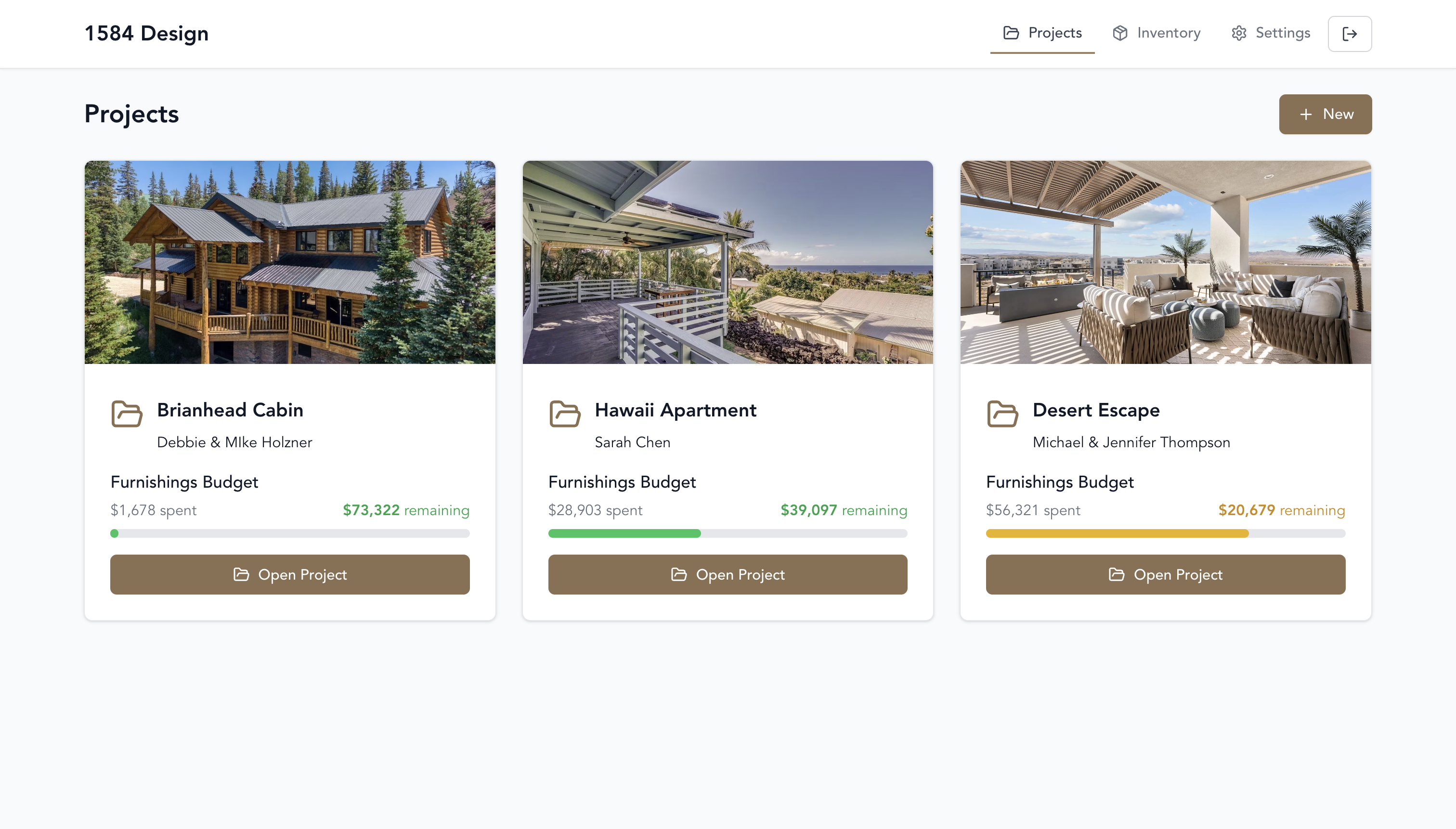
Know what you can spend before you spend it—on every project, every time
Your dashboard shows every client with their budget status right there. Switch between projects instantly. See who's on track, who's getting close, who needs attention—all in 10 seconds.
Stop the mental math across 5 different projects. Just look at your dashboard.
When you blow the budget, it comes out of YOUR design fee. Create categories for furniture, movers, storage, install crew—whatever you need. See exactly what's left in each bucket so you never overspend on sofas and have nothing left for the install team.
Set it up once at the start, then let it protect your income on every purchase.
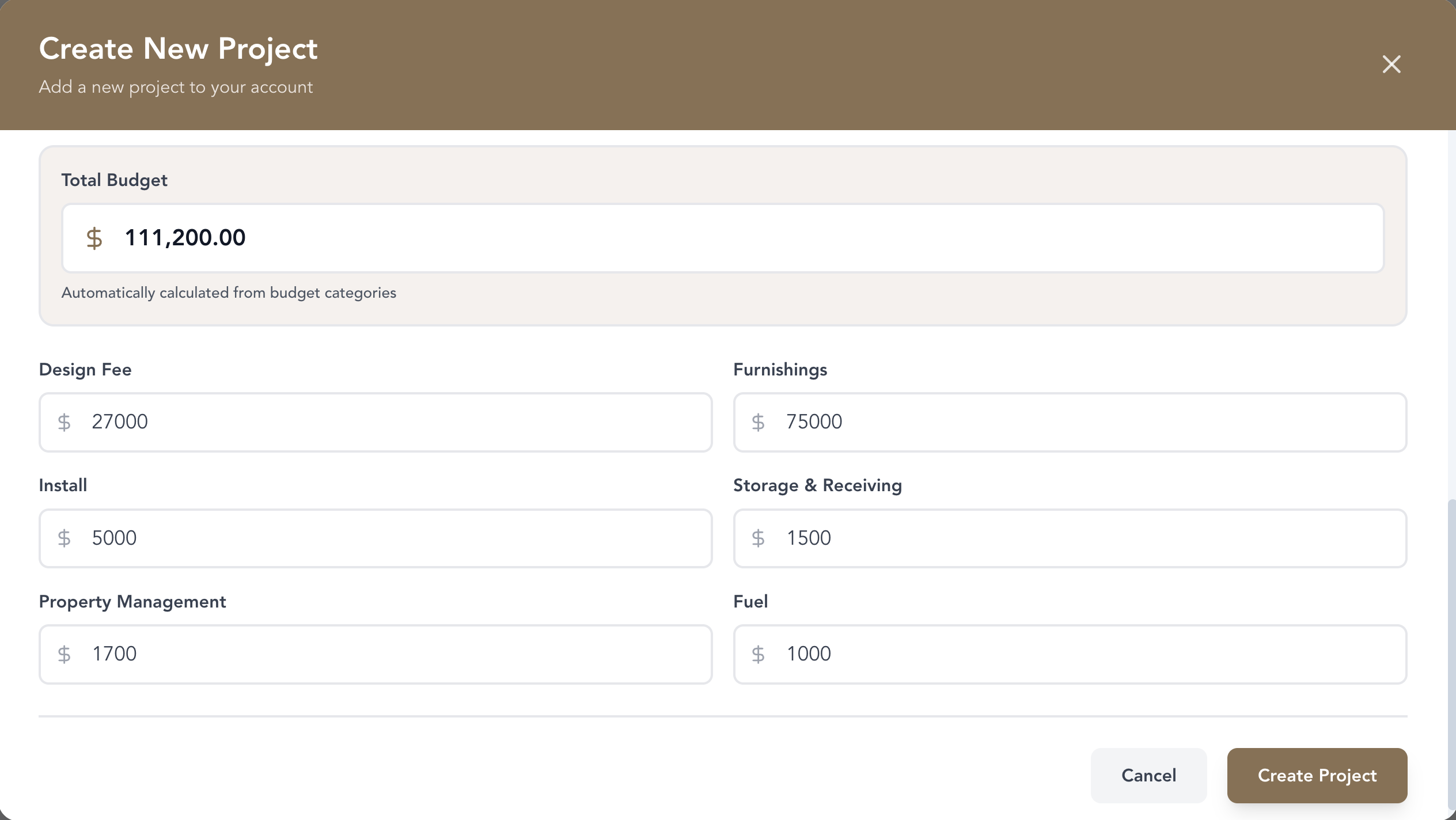
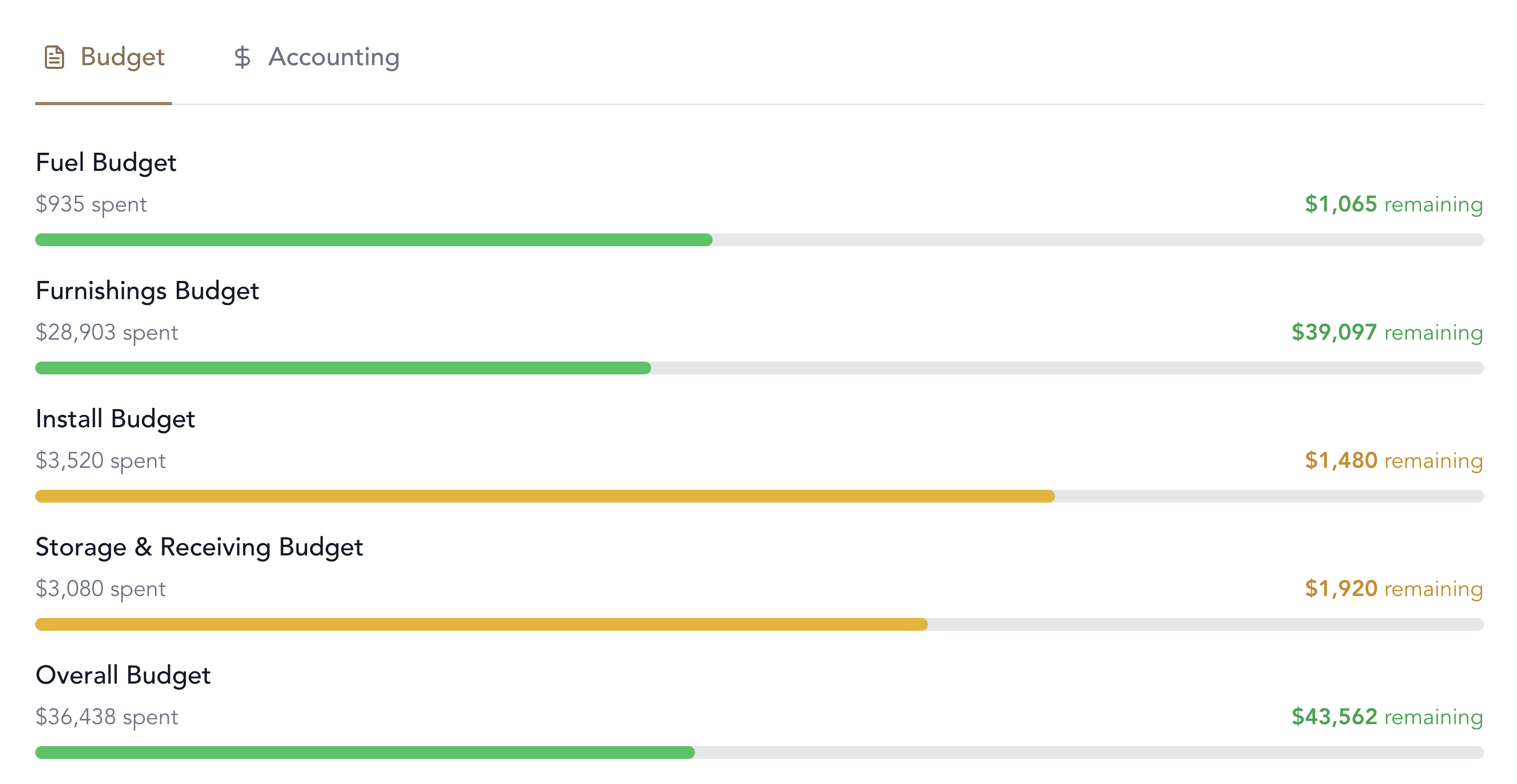
No more standing in a showroom wondering if you can afford that sectional. Progress bars update automatically as you add purchases. Check your remaining budget in 3 seconds and buy with confidence.
Stop guessing. Every purchase backed by real numbers, not your best guess.
Capture everything before you forget—so you don't lose money or lose your mind
Record purchases while standing in line—or later from your car. Add the amount, store, budget category, who paid, tax, etc. Snap photos of your cart and receipt right there. By the time you get home, you've forgotten half the details.
Track who paid for each purchase so you know who owes what—not 6 months later when you're doing mental math.
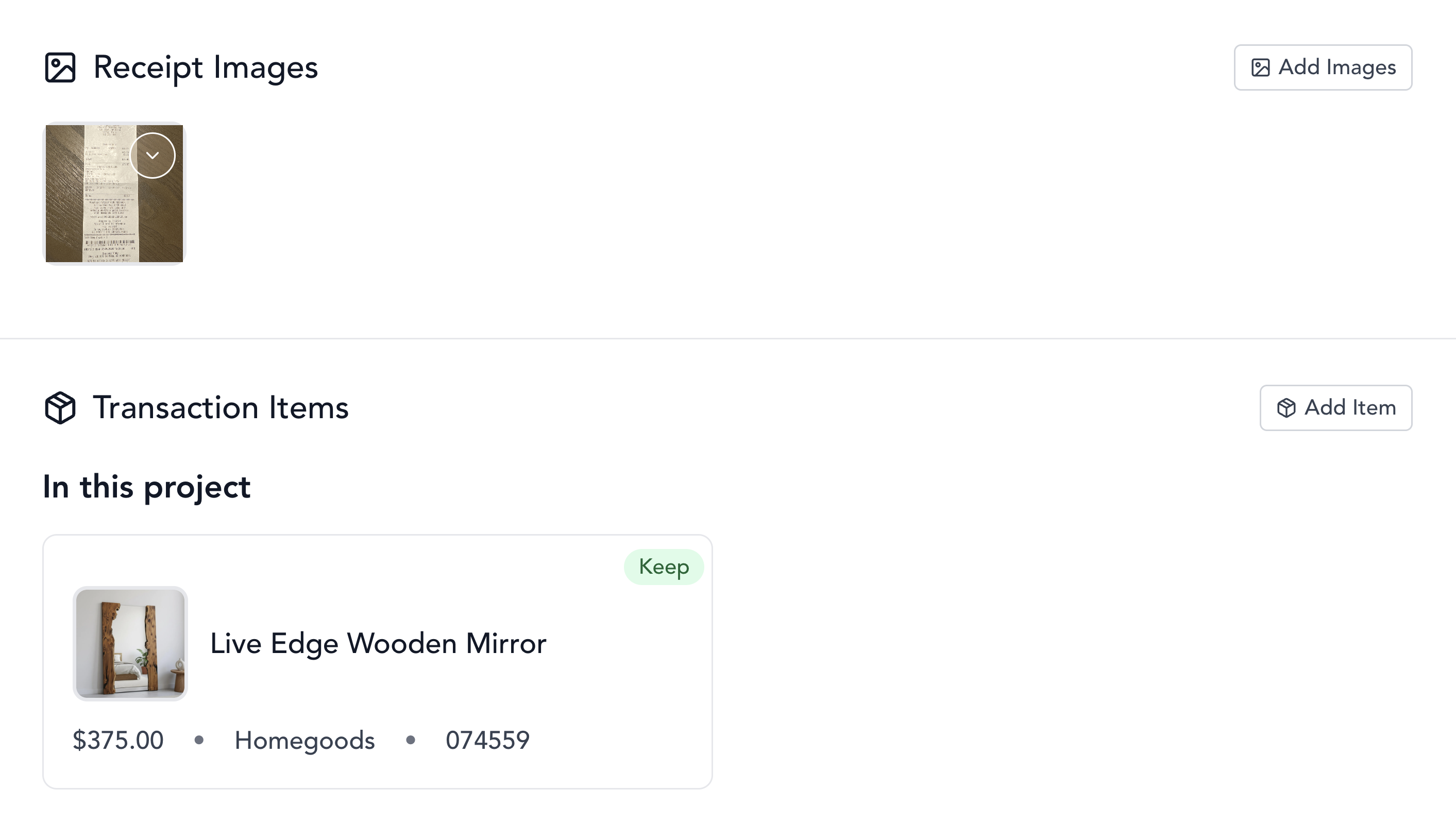
Stop digging through emails and bags looking for receipts. Every item has its photo, price, receipt, room assignment, and SKU attached. Search by name, filter by room, filter by store, or just scroll and spot it visually.
Your brain is for design, not remembering which pillow came from which store three weeks ago.
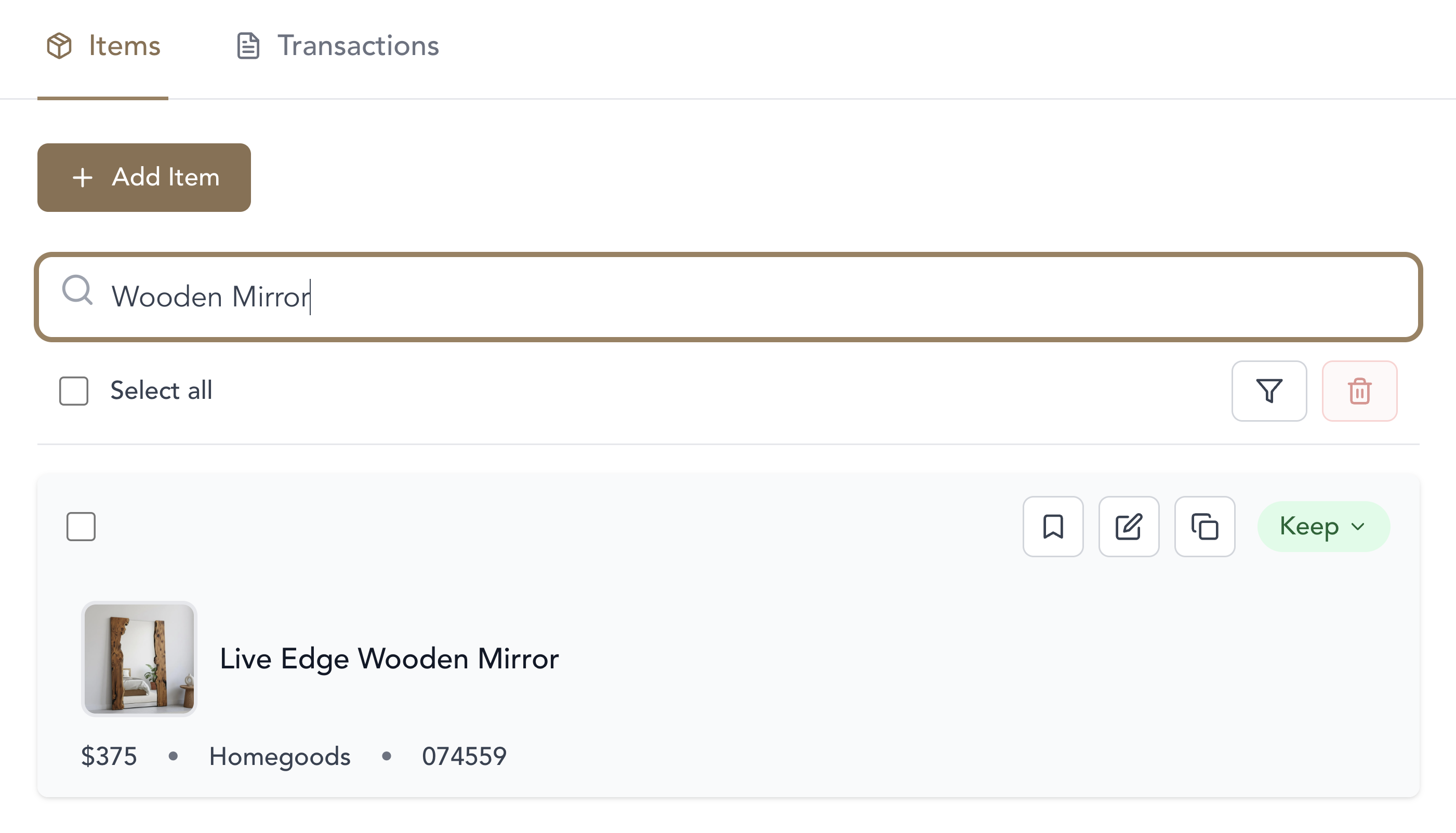
Stay organized when the client is watching and everything is chaos
Clients don't love the throw in the living room? Tap it once to mark for return. When install is done, you have a clean list of exactly what to return and where. No more forgetting $1000 worth of stuff in your garage.
Filter to show only returns—complete with receipt photos and store info.
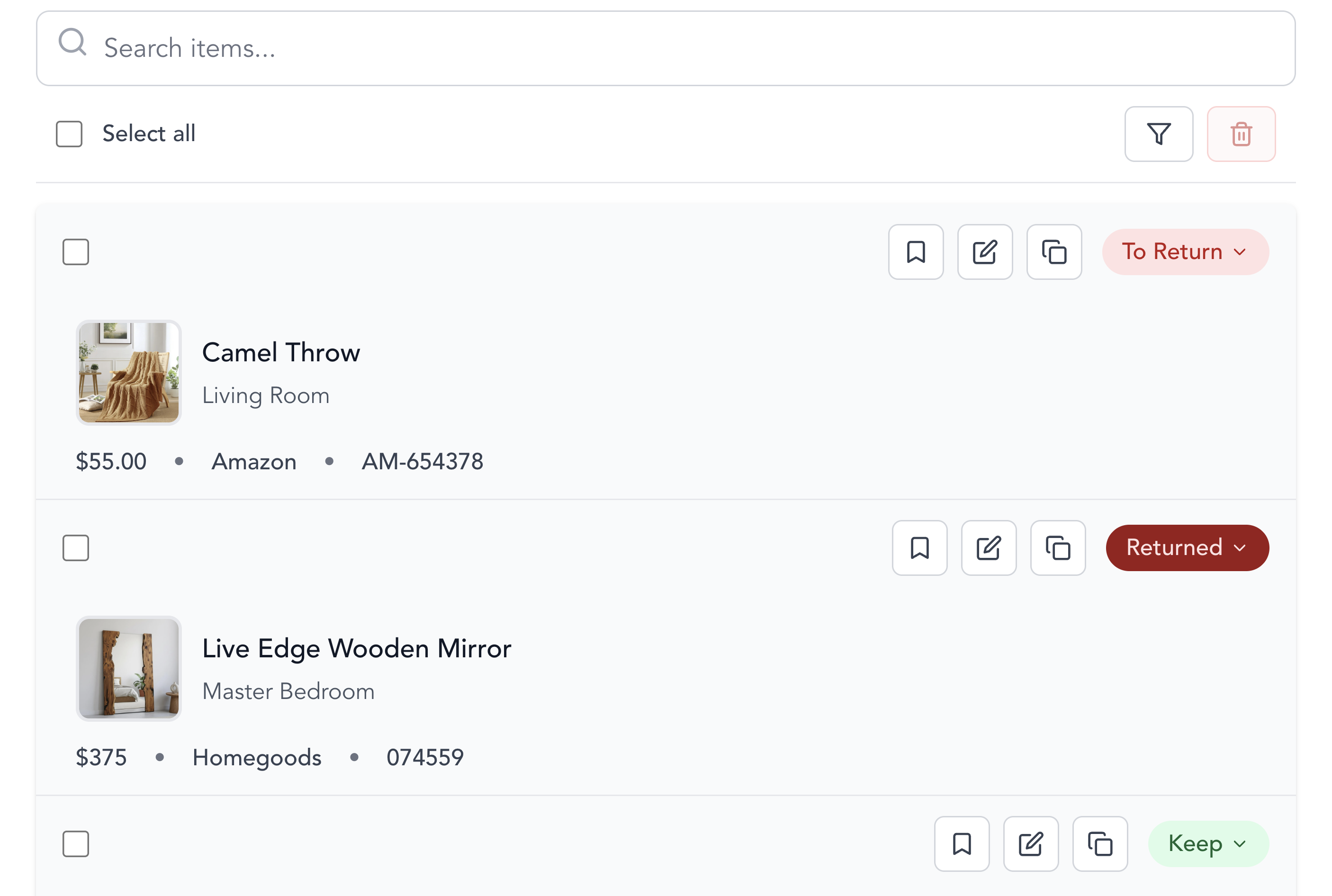
Client asking how much the accent chair will cost while you're trying to work? Pull it up on your phone in 5 seconds. Every item shows where you bought it and all the key details, with a link to the transaction that contains the receipt.
Stop digging through emails and bags while the client waits. Look like a pro.
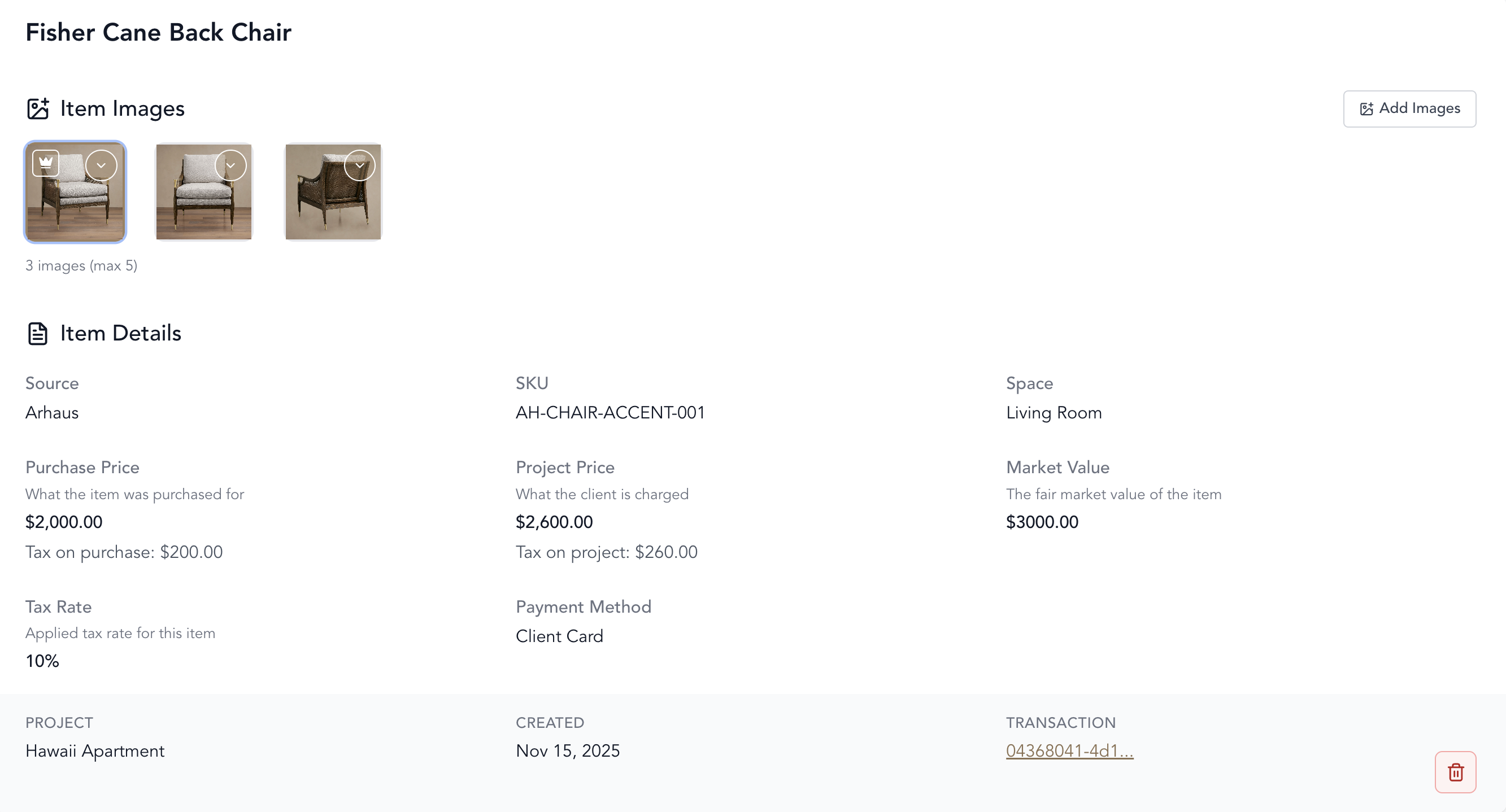
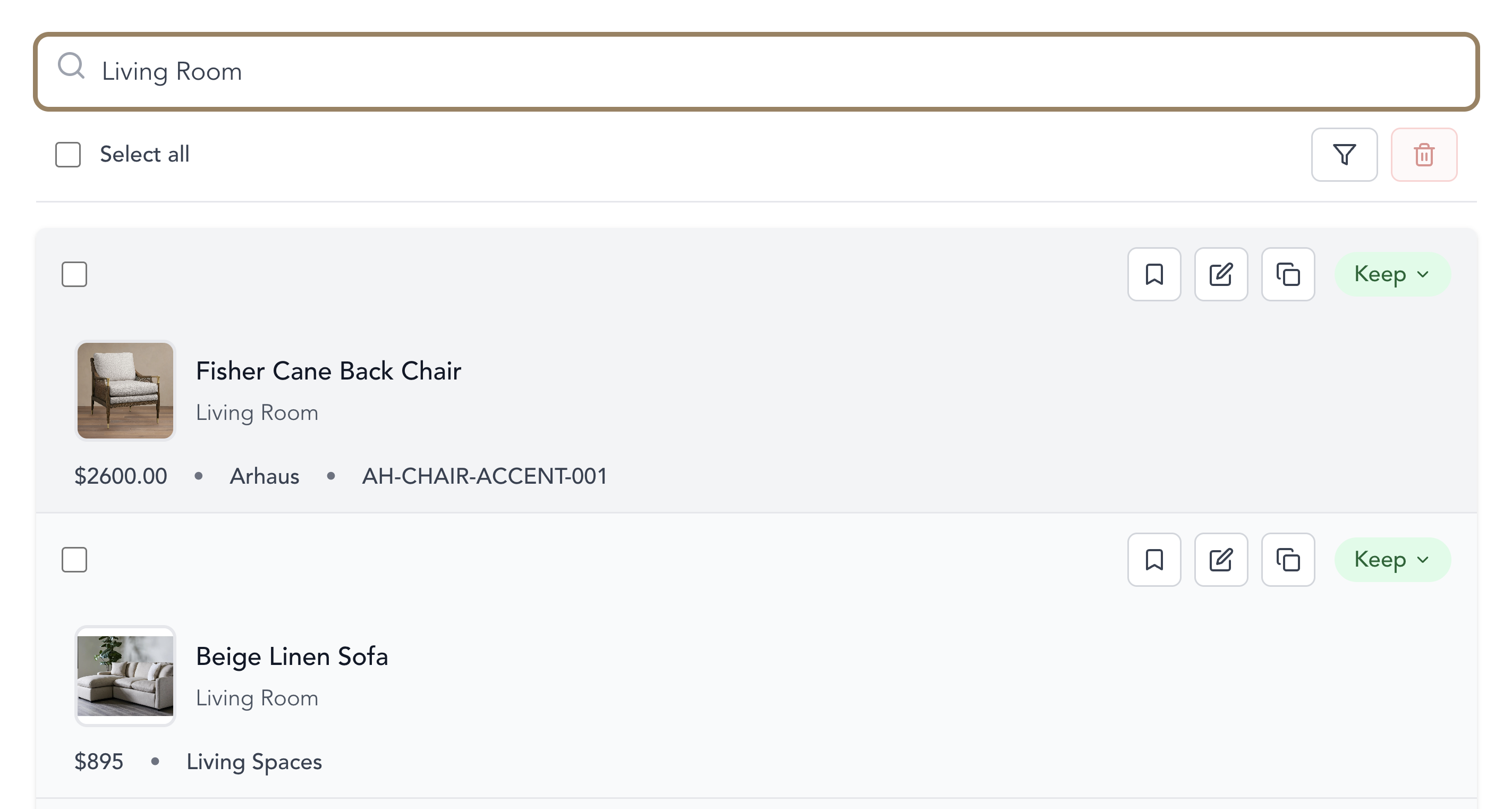
Need to see just the living room items? Type "living room" and see only what goes there—no scrolling through 200 items. Search by store to find everything from West Elm. Or just scroll photos and spot items visually.
Multiple ways to find exactly what you need, right when you need it. No confusion, no delays.
Track items you're keeping for future projects
Found a great chair but it didn't work for this client? Can't return that lamp but know you'll use it later? Move items into your business inventory with storage location tags.
Turn "I know I have that somewhere" into "It's in Storage Area B, shelf 3."
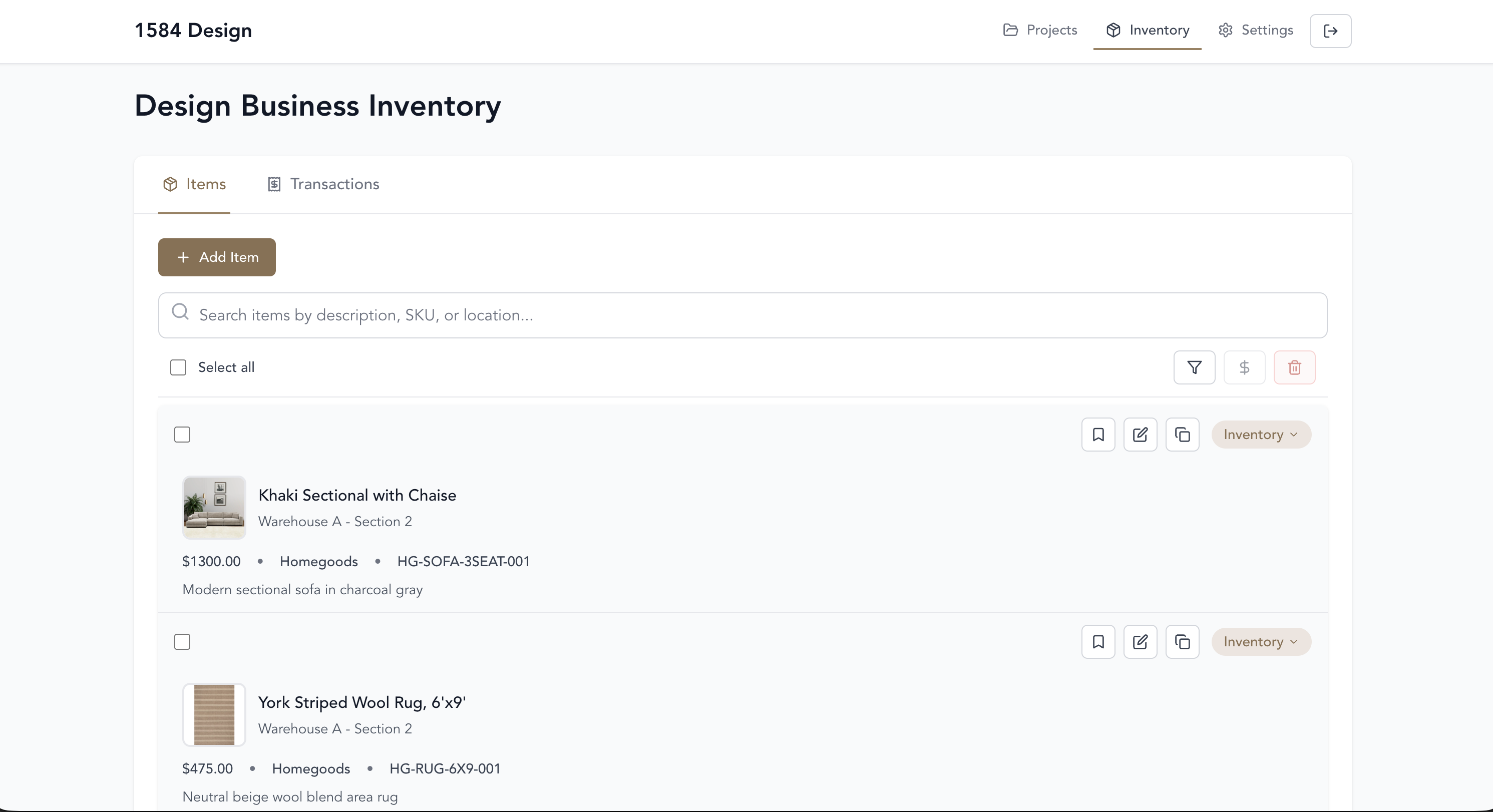
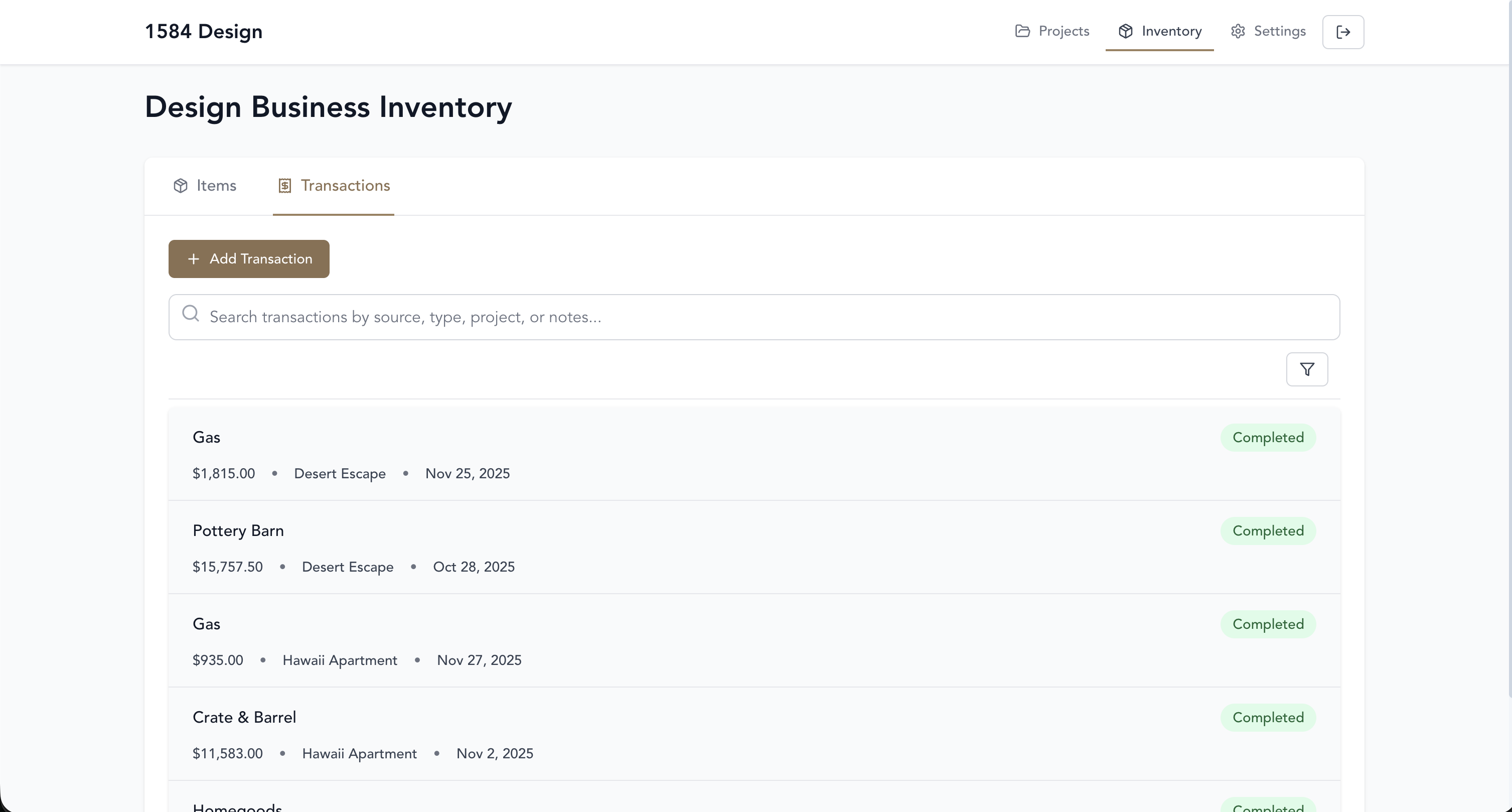
When you sell from your own inventory or use markups, tax time can become a nightmare. Digging through receipts trying to remember what you paid versus what you charged? The app tracks it all—purchase price, sale price, margins, taxes paid. You'll have the numbers you need instead of reconstructing everything from memory.
No more shoebox of receipts and guesswork.
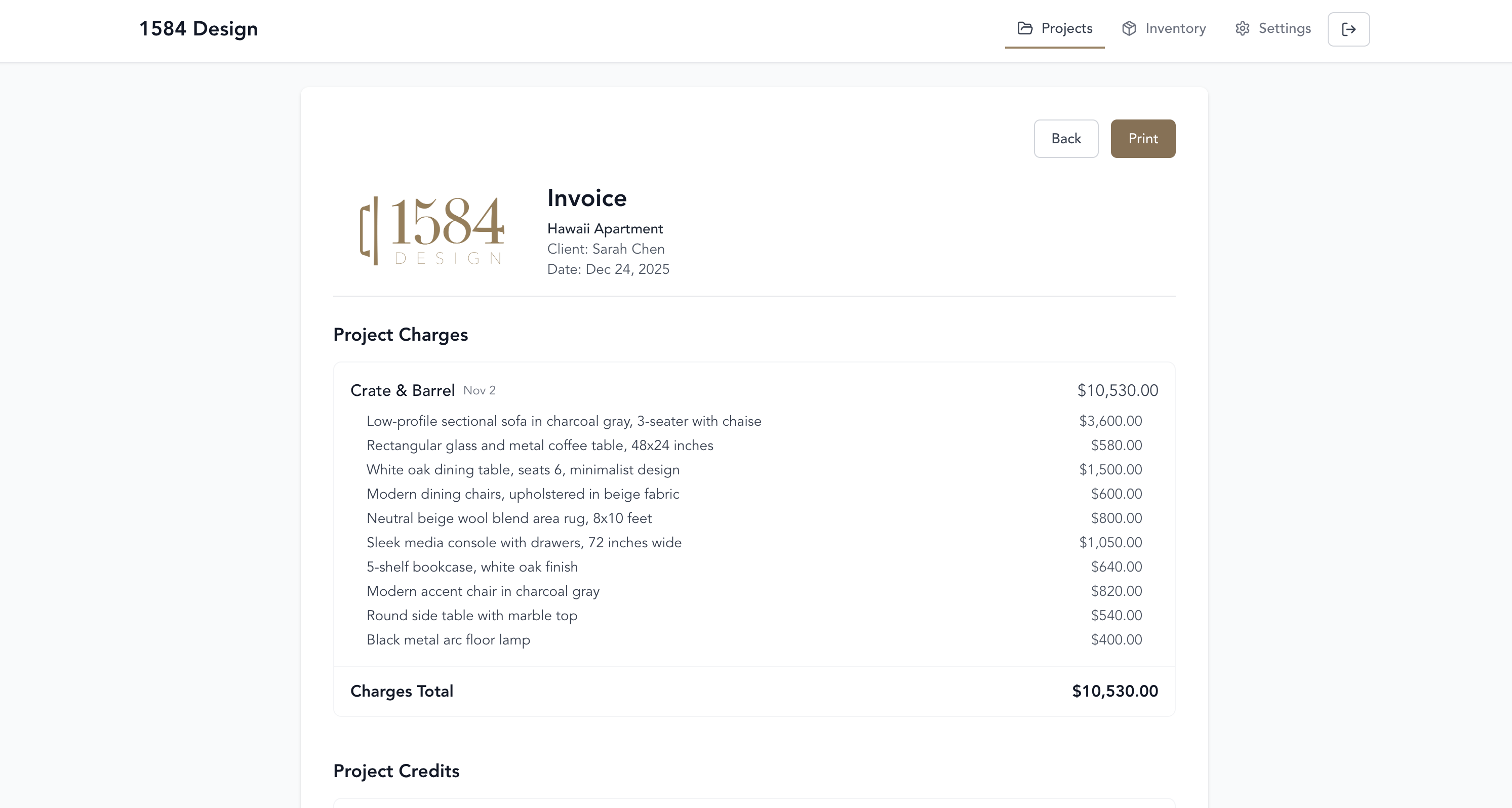
Get paid fast and leave clients wanting to hire you again
The app already tracked every purchase and who paid for it. Create a clean invoice showing exactly who owes what—with all the details and total balance. Bill anytime during the project or all at once at the end. No spreadsheets, no memory games.
Stop spending your weekend trying to remember which credit card bought what. Click once, invoice ready.
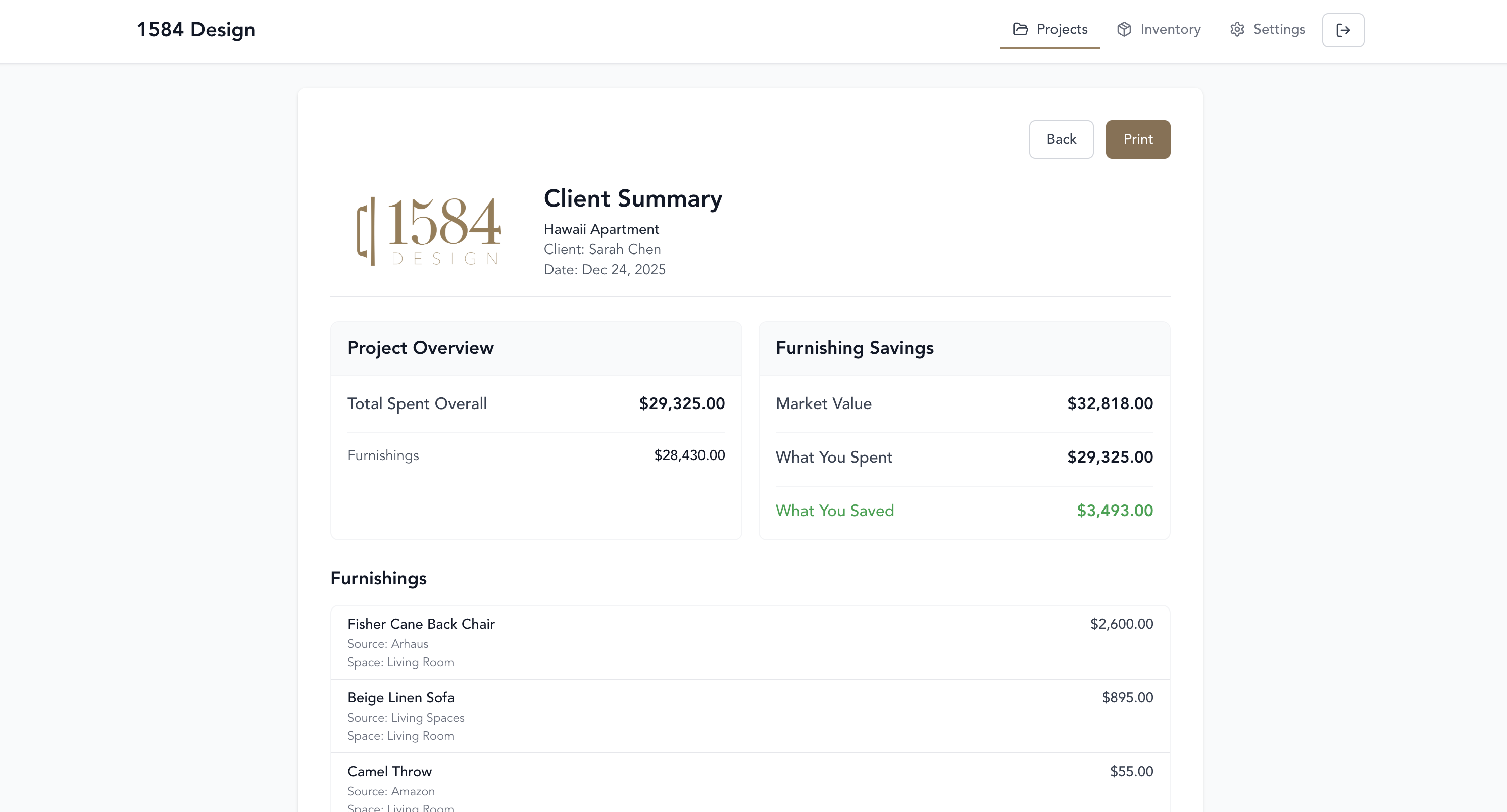
Show clients the value you delivered. Deliver a polished summary showing what the client paid versus market value, with the savings callout front and center. It’s the proof point that turns satisfied clients into enthusiastic referrals.
The highlighted savings line shows the value you created in a single glance.
From project setup to final documentation
Create projects for each client with custom budget categories—furnishings, moving, storage, installation services. See all your projects and their budget status at a glance.
Record transactions and items while standing in line—or add them later. Snap photos of your cart and receipts. Note who paid. Watch your budget update instantly.
Mark returns with one tap. Find any receipt instantly. Filter items by room. Keep everything running smoothly whether it's one day or one week.
Save items for future projects in your business inventory section. Tag with storage locations so you can actually find them later.
Generate invoices that show exactly who owes what. Create value summaries showing your client's savings. Get paid while building trust for future projects.
We’re inviting interior design teams to help shape Ledger. If you’d like to join the beta, email us and tell us a little about your business.
Email team@nine4.coAbsolutely. Whether you're designing a single room or a 20,000 sq ft office, our platform scales to your project complexity.
Yes. Manage unlimited projects simultaneously. Your projects dashboard shows budget status for each client at a glance, and you can switch between projects instantly without losing your place.
Our interface is designed for creatives, not accountants. If you can use Instagram, you can use this.
No — there’s no limit. Create as many categories as you need to match your workflow and projects.
The invoice reconciles who owes whom and helps you get reimbursed. The client summary shows purchase price vs. market value to demonstrate the savings you delivered—great for building relationships and getting referrals.
Yes. Ledger is built mobile-first so you can do everything from your phone — capture purchases, add receipts, manage budgets, and send invoices. The interface is optimized for quick, touch-friendly workflows so you can run projects on-the-go without missing a beat.
Born from the chaos of running a design business, Ledger was created to solve our own bottlenecks at 1584 Design.
1584 Design began in 2021 with a simple mission: to create extraordinary spaces for exclusive clients through full-service interior design.
But like many designers, we struggled with the business side. Between managing multiple projects, tracking hundreds of purchases, staying within budgets, and ensuring clients got billed correctly, we found ourselves spending more time in spreadsheets than showrooms.
So we built Ledger. What started as a solution to our own bottleneck has become the tool we wish we'd had from day one. Now we're sharing it with fellow designers who deserve to focus on creativity, not paperwork.
Because every designer should have the freedom to do what they do best: create spaces that inspire.
Stop drowning in spreadsheets and lost receipts. Take control of your projects and get back to what you do best.